Flight Status
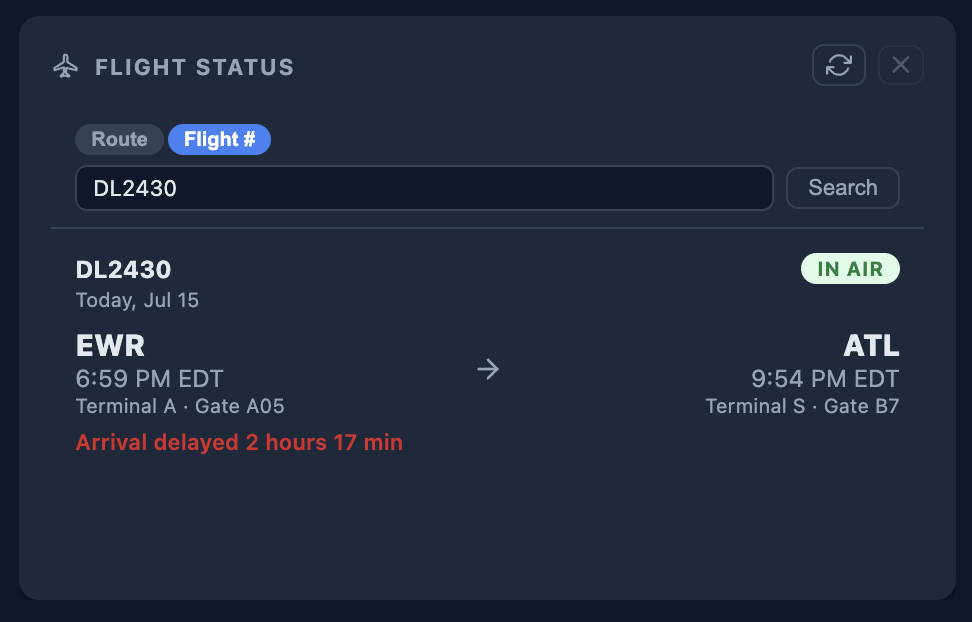
Look up a specific flight number, or pick an airline and a city pair to see every flight on that route today. Departure and arrival times, terminals, gates, and delays — no app switching, no ticket lookup required.
What's included
- Look up a specific flight number for a single result
- Or search by route: choose from 45+ major US and international airlines
- Enter a city pair — type the city name or the airport code
- Today's flights shown for that route and airline
- Status badge: Scheduled, In Air, Landed, Cancelled, Diverted
- Departure and arrival times, updated with live estimates
- Terminal and gate info when available
- Delay called out in minutes when a flight is running late
- One-click refresh for the latest status
- Up to 3 Flight Status widgets per dashboard — track multiple routes
How it works
1
Add from the picker
Open the widget picker, find Flight Status under Tools, and add it.
2
Pick your airline
Choose from a dropdown of major US carriers — American, Delta, United, Southwest, and more.
3
Search by route or flight #
Type a departure and arrival city (or airport codes), or switch to Flight # and type a flight number directly.
4
See today's status
Every matching flight for today shows its status, times, and gate — refresh any time for the latest.
Know before you go — or before you pick someone up
Available on Core. Add up to 3 Flight Status widgets across your dashboards.